
How to Create Digital Practice from a PDF
If you teach, you've got a drawer (or a hard drive) full of worksheets. Finding good material was never the slow part — turning it into something students can do, mark and learn from, without burning your evening on a red pen, is. This guide shows how to take a worksheet you already have as a PDF and turn it into digital practice in ClassKite: a class students join, questions they answer on their own devices, and instant feedback for them and you. No reformatting, no rebuilding.
Why start from a PDF?
Most teaching materials already exist as PDFs. Recreating them in a new tool is wasted effort, and you often lose the layout, diagrams and wording you worked hard on. ClassKite renders your file exactly as printed, so the worksheet your students see is the one you made.
That matters for two reasons. First, the original stays intact as context — the passage, the diagram, the worked example — with the interactive questions alongside it. Second, you can annotate the PDF live while teaching: pen, calligraphy ink for a handwritten feel, highlighter, shapes, text and sticky notes, with continuous scroll and pinch or wheel zoom. The document is both your teaching surface and the source of the practice.
Step by step: from PDF to live practice (in under five minutes)
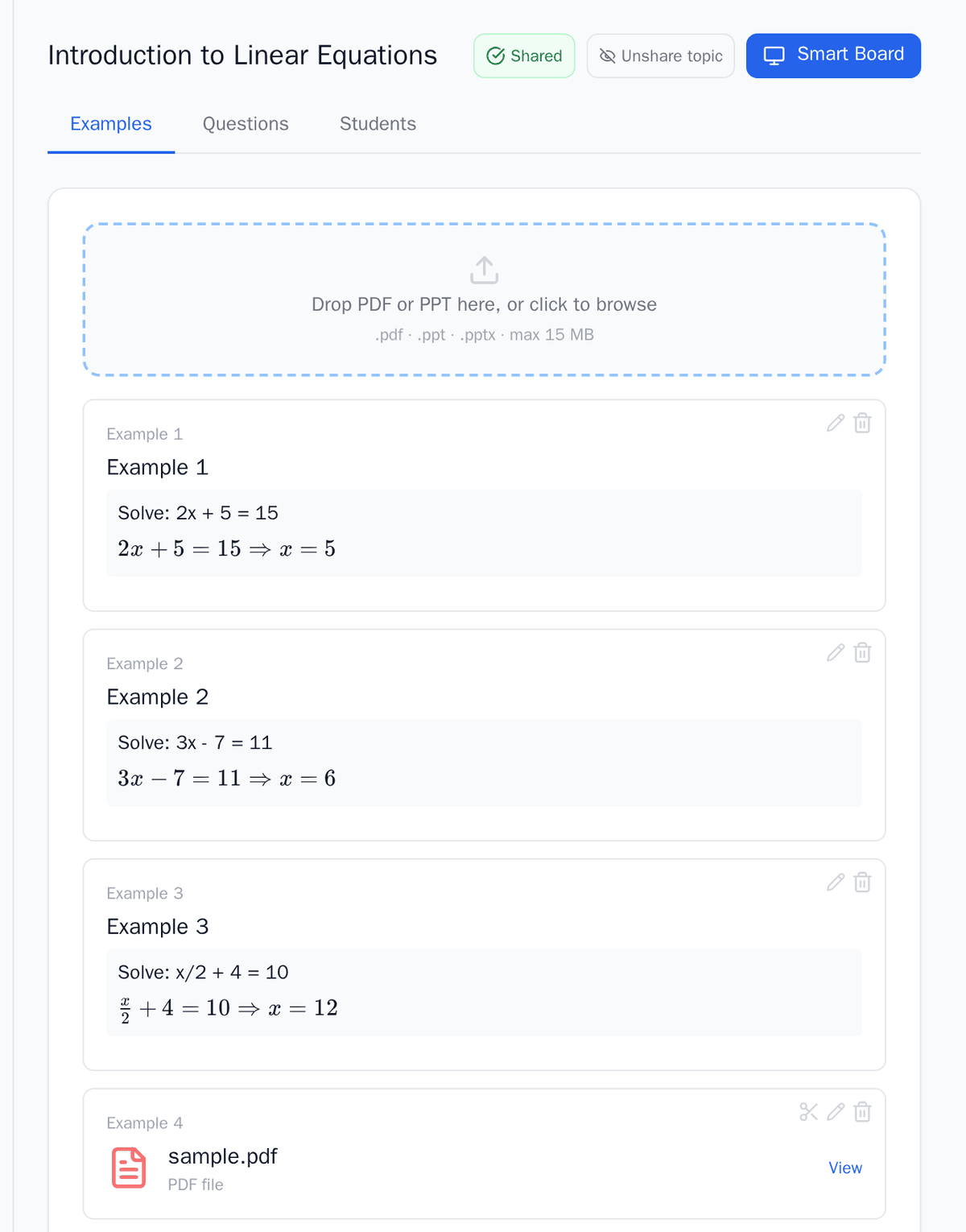
- Create a class and a topic. Set up your class (say, "Year 9 Geography") and add a topic like "Rivers and erosion". The topic holds your material and questions, so keep it focused — one unit or lesson per topic works best.
- Upload your PDF. Drop the file in and ClassKite renders it as printed. Students see the same pages you do, nothing reflowed or stripped out.
- Build your questions. There are three ways, and you can mix them:
- Import from an AI agent. Download the Question Bank template — a spreadsheet with a ready-made prompt and an instructions sheet written for AI agents. Give your AI assistant both the template and the PDF you uploaded; the built-in prompt has it draft questions based on your material in the template's format. Then upload the completed file back into ClassKite.
- Use the built-in AI question generator. Give it a topic, a count and a difficulty, and it drafts a set in seconds.
- Write them yourself. Add questions by hand whenever you want full control.
- Set the answers (if you wrote them yourself). For questions you write by hand, mark the correct answer (or accepted answers) — that's what lets ClassKite give students instant right-or-wrong feedback and points, so it's worth a careful pass. Imported and AI-drafted questions already carry an answer key for you to check.
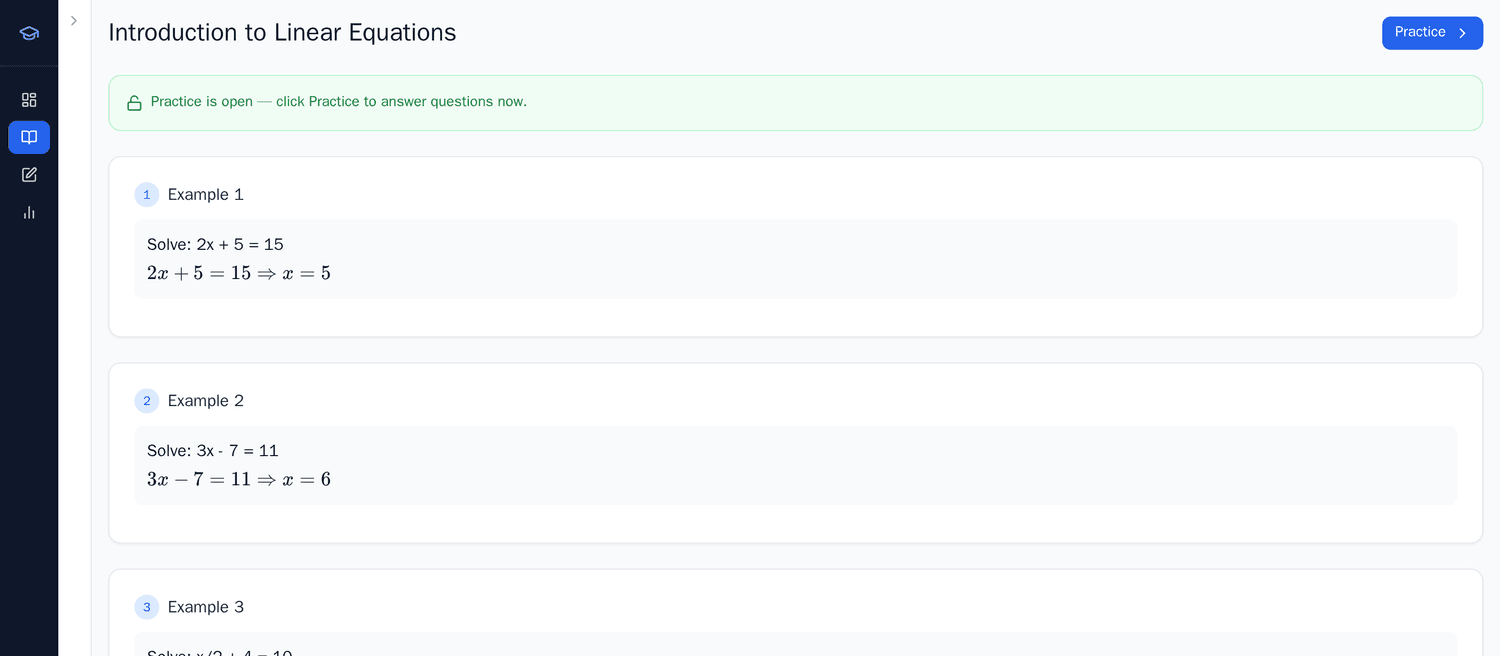
- Start the session. Share the class code, and students join for free on their own devices. Run it as a live, teacher-paced session or let students work at their own pace.
What kinds of questions you can make
You don't have to flatten everything into multiple choice. ClassKite supports a few question types, and most worksheets use a mix:
- Multiple choice. Good for concept checks, vocabulary and "which of these" questions. Quick to answer, quick for students to see where they stand.
- Fill-in-the-blank (word). The student types a word or short phrase. Useful for key terms, definitions and language work where you want recall, not recognition.
- Fill-in-the-blank (number). The student types a numerical answer — handy for calculations, data questions and anything where the answer is a value.
- LaTeX maths. Write proper mathematical notation, so fractions, indices and equations display correctly rather than as awkward plain text.
Whether you draft these yourself or start from an AI draft, the same options apply. A languages teacher might lean on fill-in-the-blank for vocabulary; a science teacher might mix multiple choice for concepts with number entry for calculations.
Run it live or self-paced
The same practice works in two modes — pick what suits the lesson.
Live and teacher-paced. Use the smart board to present the PDF full-screen, annotate as you teach, and keep everyone on the same page with follow-me page sync. Your strokes stream live, and you can push a question or a whole practice mid-lesson. As students answer, they get instant feedback and points, and a one-tap help flag lets them signal when they're stuck without raising a hand in front of the class.
Self-paced. Set the same practice as self-practice so students work through it at their own speed — in class, for homework, or as revision. They still get instant right-or-wrong feedback and points; you're just not driving the pace.
On Teacher Plus or a School plan, the Live Student Grid shows the room at a glance: who's present, each student's progress and score, who has raised a help flag, and a "struggling" signal when someone answers the same thing wrong repeatedly. You can also open a student's attempt history to see what they tried.
Reuse across classes and years
Once a practice exists, it's reusable. Run the same set with your other classes by sharing their class codes, set it as homework after teaching it live, or bring it back next year. Because the questions and answers live with the topic, there's no rebuilding — tweak what's changed and run it again. Over a couple of terms, that's where the time saving really adds up, much as we describe in how ClassKite saves teachers time.
Before and after
Before: you print thirty copies, students fill them in, you collect the pile, and you mark each one by hand — often days later, when the lesson has moved on. You have a rough sense of who struggled, but no clear record.
After: students answer on their devices, see instantly whether they were right, and you watch progress as it happens. Objective questions mark themselves as students go, and you finish the lesson already knowing which questions tripped people up. For the full numbers, reports (on Plus and School plans) give completion, average score and first-try accuracy, plus per-student and per-question breakdowns, a sessions log, a score trend and a CSV export.
A common mistake: deleting the original PDF as context
The most common slip is treating the PDF as a stepping stone and deleting it once the questions exist. Keep it. The questions usually only make sense alongside the source — the reading passage, the map, the worked example, the diagram. If students can see the original while they answer, the practice tests understanding rather than memory of a question stripped of its context. Leave the PDF in the topic so it's there during the session and when you reuse the practice later.
In the classroom
Say a history teacher has a one-page source sheet on the causes of a war — a short extract and a timeline. They upload it, then hand the sheet and the Question Bank template to their AI assistant, which drafts six questions from the source in the template's format: three multiple choice on the timeline, two fill-in-the-blank for key terms, and one short word answer interpreting the extract. They upload the completed file back, edit the wording on two, fix one answer, and set the rest. In the lesson they present the sheet on the smart board, annotate the extract as the class reads, then push the practice. The Live Student Grid shows two help flags on the interpretation question, so they pause and model an answer before everyone finishes. Same sheet, same six questions, ready to reuse with next year's group.
Frequently asked questions
Do my students need the original PDF?
No separate file or download needed. With the PDF in the topic, students see it rendered in ClassKite alongside the questions, so the source material and the practice sit in one place. That's exactly why it's worth keeping the original rather than deleting it.
How can I create the questions?
Three ways, and you can mix them. Import from an AI agent: download the Question Bank template (a spreadsheet with a built-in prompt and an instructions sheet for AI agents), give your AI assistant the template and your material so it drafts matching questions, and upload the completed file back. Use the built-in AI question generator: give a topic, count and difficulty and it drafts a set. Or write them yourself by hand. With any route you review and edit every question before it's assigned — the AI drafts, you decide. The two AI-assisted routes are on Teacher Plus and the School plan; writing your own is on the free plan.
Are questions marked automatically?
Objective questions are checked instantly against the answers you set, so students see right or wrong and points straight away — and you see progress live. The AI drafts questions; it doesn't mark students' work, and nothing is assigned without your review. You stay in control of what counts as correct.
Can I reuse the practice next year?
Yes. The questions, answers and uploaded PDF stay with the topic, so you can run the same practice with other classes, set it for homework, or bring it back next year and adjust what's changed — no rebuilding required.
Get started
If you already have the worksheet, the hard part is done. Upload it, add a handful of questions, set the answers, and share the class code — students practise for free on their own devices, and you get instant feedback instead of an evening of marking. Sign in to ClassKite and turn your next PDF into live practice. Weighing it up for a department or school? See ClassKite for schools and our pricing, or read more about how teachers use ClassKite step by step.
Written by the ClassKite team and reviewed by a practising teacher.